
Kaiju City Smash
Be the giant monster. Stomp a city to rubble, beat the AI, or rampage online against a friend.
Status: LivePlay
 play.karankharode.com

Five typing games in a cozy pixel-clay arcade. Get faster without noticing you're practicing.
Get faster at typing without noticing you're practicing. Keycraft Arcade is a cozy pixel-clay arcade with five typing games. Walk up to a glowing cabinet, pick a game, and play. Every word you type shoots a zombie, lands a punch, fires a laser or moves a story forward, and the arcade quietly trains the keys you miss most.
No downloads, no sign-up. It runs in your browser and saves your progress on your device.
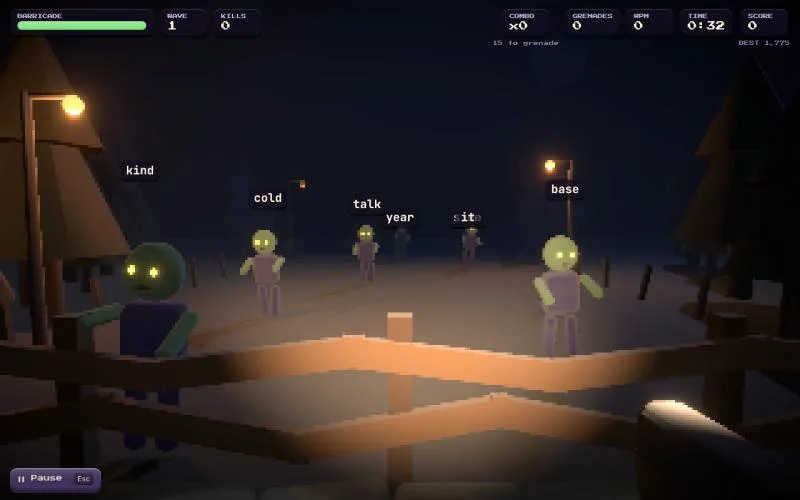
Night falls and the fog fills with shambling clay zombies. Type the word over a zombie's head to shoot it before it reaches your barricade. Runners are quick, Brutes take two words to drop, and Screamers scramble the words around them.
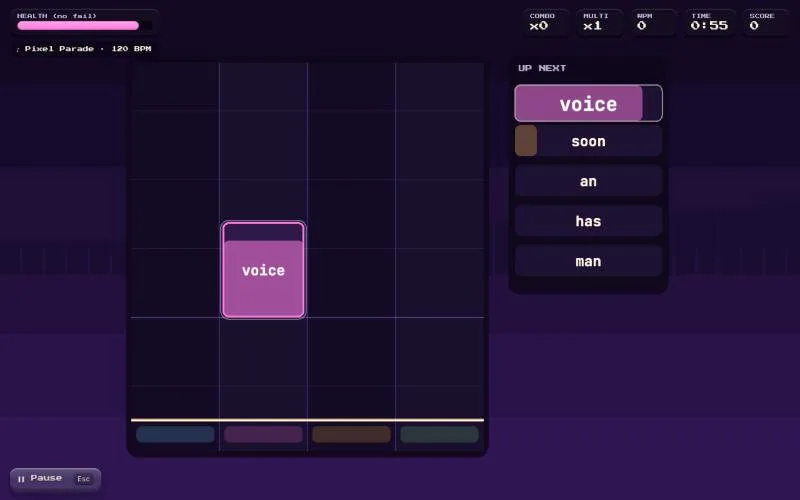
Word tiles fall down four lanes toward the hit line. Type each word so its last letter lands exactly on the beat for a Perfect, Great or Good, and chain hits to multiply your score. Five original tracks, from the mellow Clay Lullaby (80 BPM) to the frantic Turbo Terracotta (160 BPM).
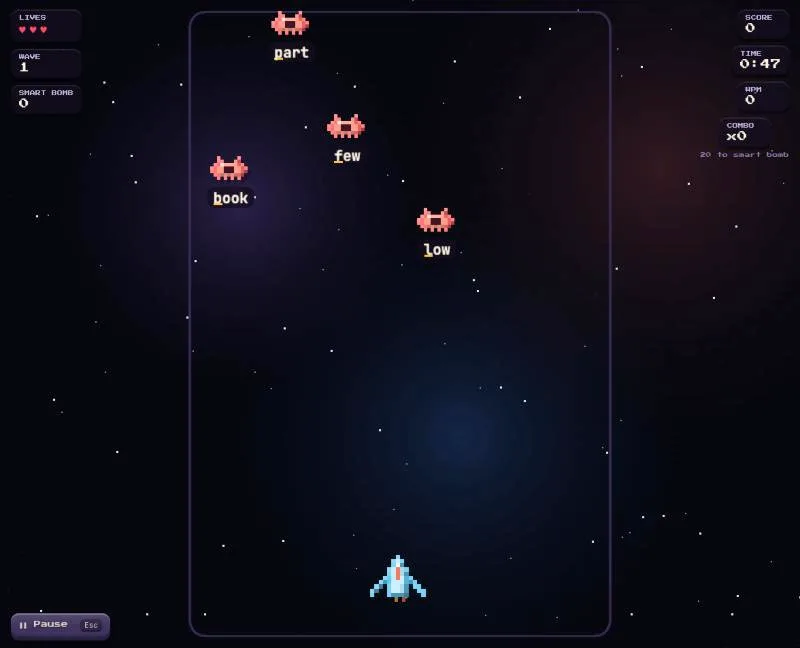
Enemy ships descend carrying words, and every correct key fires a laser that chips off a letter. Watch out for Bombers, Shield ships, and a Boss armored in a whole sentence every five waves.
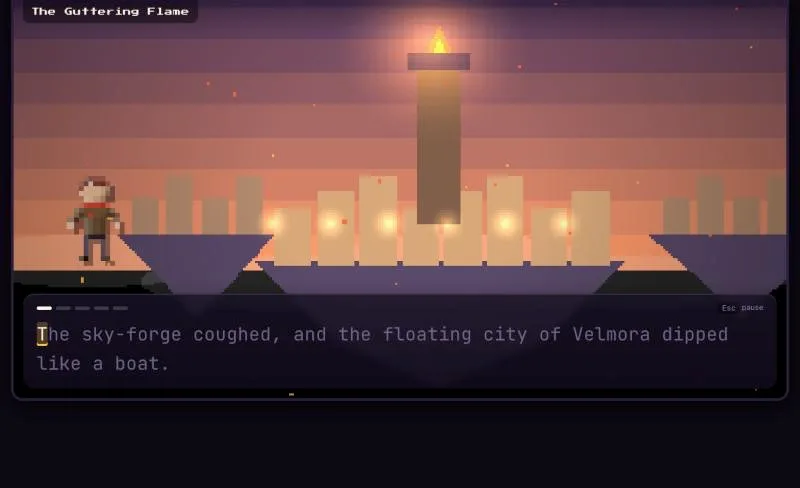
Branching fantasy and horror stories that you move forward by typing. Pick your path by typing a choice, build Momentum with fast, clean typing, and stay ahead of whatever is hunting you. Each story has three endings: good, bittersweet and bad.
| Story | Genre | Unlocks at |
|---|---|---|
| The Ember Key | Fantasy | Level 1 |
| Ward 13 | Horror | Level 2 |
| Tidewyrm | Fantasy | Level 4 |
| The Seventh Lantern | Horror | Level 6 |
| Crown of Hollow Oaks | Fantasy | Level 8 |
Feeling musical? Switch on Rap mode and type the story to a beat, with every word judged on time.
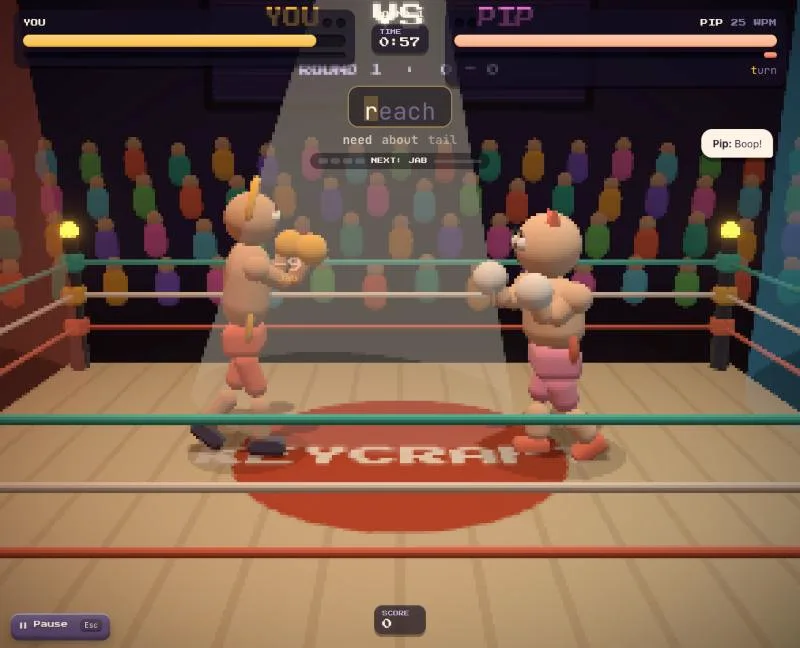
Two clay fighters, one ring, best of three rounds. Every word you finish is an attack, and longer words hit harder. Chain clean words for bigger moves: one word is a jab, then a kick, an uppercut, and a slam. Typos make you stumble. Fill your special meter and press Enter for a Super Move.
Pick your opponent: Pip (25 WPM), Brickton (45), Glaze (70), Kilnfire (100), or Echo, who adapts to your speed. "I type exactly like you. Just a little better."
| Mode | How long |
|---|---|
| Sprint | One minute. Perfect for a quick round. |
| Gauntlet | Five minutes. Go as far as you can. |
| Endless | Keep going until you lose. |
Difficulty is on Auto by default and keeps adjusting to how you've been playing. You can also choose Easy, Normal or Hard.
Want to practice properly? The Academy has five lessons, from home-row basics to numbers, symbols and full sentences, with a glowing finger guide that shows which finger to use. It also has workouts that drill your weakest keys and three challenge tests to see how far you've come.
All five games share one profile, so every round counts:
Yes. Every game in Play Arcade is free to play. There is nothing to buy and no account to create.
No. The games run in your web browser. Press Play and the game loads on the page.
Yes, on your own device. Scores, levels and settings are stored in your browser, so they stay as long as you use the same browser and do not clear its data.
Karan Kharode, a software engineer from Nagpur, India. Each game is built with AI assistance and shipped by him.
Be the giant monster. Stomp a city to rubble, beat the AI, or rampage online against a friend.